Indonesia SIM Card Not Working? 9 Real Fixes Indian Travelers Swear By
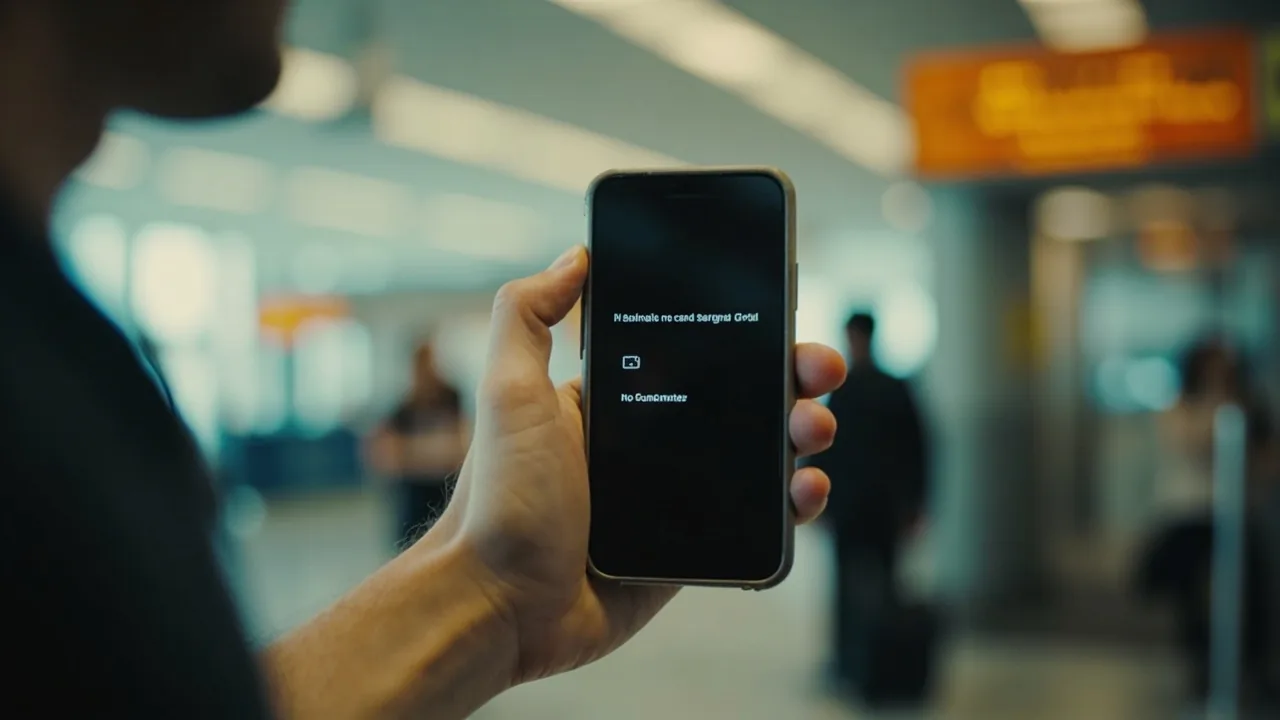
Your Indonesia SIM card not working after landing? You walk past immigration, find the Telkomsel or XL Axiata counter, hand over your passport, pay ₹268 (~50,000 IDR or ~$2.78), slot the SIM in, and… Nothing. No bars. No signal. No data. The SIM just sits there saying “No Service” while the Grab driver is already honking outside.
This guide was put together after cross-checking traveller reports from May and June 2026 against KOMINFO (Kementerian Komunikasi dan Informatika) materials and the three big Indonesian carriers’ current tourist pages. It is a fix-it checklist for the most common registration and APN problems Indian travellers report at Ngurah Rai and Soekarno-Hatta. For the broader Southeast Asia travel hub, see our SEA backpacking hub.
Indonesia is unusual because of the IMEI block. Phones bought outside Indonesia can be blacklisted from local networks for up to 24 hours, and unregistered IMEIs get taxed at 40% of the device’s value if they stay on the network longer than that. Most “my SIM is dead” complaints trace back to that single rule, not a faulty card.
If you are reading this at the airport with a useless SIM in your phone, jump straight to Fix #1 and Fix #2 first, then work down the list.
Quick Answers
| What | Answer | Price (INR) |
|---|---|---|
| Cheapest tourist SIM at the airport | Telkomsel Tourist 7-day (~15GB data) | ₹268 (~50,000 IDR or ~$2.78) |
| Time for a tourist SIM to activate on the network | 15 minutes to 24 hours (IMEI block is the usual cause) | Free to fix |
| How long an unregistered IMEI stays usable | Up to 90 days, then 40% device tax kicks in | 40% of phone value |
| APN setting on Telkomsel (data only) | internet / telkomsel (lowercase, both fields) | Free to set |
| eSIM alternative that bypasses IMEI registration entirely | Nomad eSIM (data-only, instant activation) | Check current price on Nomad |
Prices verified against official Telkomsel tourist page on 2026-07-17.
Why Indonesia SIMs Fail for Tourists (and What the IMEI Rule Means)
Indonesia’s Ministry of Communication requires every active phone on a local SIM to be registered against an IMEI number. Tourists trigger this rule automatically the moment a prepaid SIM hits the network. If your IMEI is not pre-registered through the KOMINFO registration process, the carrier puts you on a 24-hour grace timer during which the SIM may show no service or only emergency calls.
Travellers report three stages:
- 0 to 30 minutes after SIM insert: SIM shows no signal at all, or only SOS. This is normal activation lag.
- 30 minutes to 4 hours: You get bars, you can make calls, but mobile data refuses to connect. APN issue.
- 4 to 24 hours: SIM works on data but is slow, or it suddenly drops to “No Service” again. IMEI block kicking in mid-session.
The 90-day tourist rule matters even if your SIM works on day one. Stay longer than 90 days with a tourist visa and your IMEI starts costing you a 40% tax on your phone’s declared value at exit. Register the IMEI through the KOMINFO registration process before day 90 if you are on a long stay, or switch to an eSIM that is not tied to your handset’s IMEI.
The 9 Real Fixes (In the Order You Should Try Them)
Fix 1: Wait 30 Minutes, Then Reboot into Airplane Mode
Yes, really. Most tourist SIMs take 15 to 30 minutes to handshake with the HLR (home location register) the first time. Travellers report pulling the SIM out, putting it back in, switching airplane mode on for 10 seconds, then off, and the bars appear. If it has been under 30 minutes since the SIM went in, give it time before doing anything else.
Fix 2: Set the APN Manually (This Fixes 80% of “No Data” Cases)
The SIM will register for calls and SMS but not for data if the APN is wrong. This is the most common silent failure. Go to Settings → Mobile Network → Access Point Names → New APN and enter:
| Field | Telkomsel | XL Axiata | Indosat / IM3 |
|---|---|---|---|
| APN | internet | internet | internet |
| Username | (blank) | (blank) | (blank) |
| Password | (blank) | (blank) | (blank) |
| MCC | 510 | 510 | 510 |
| MNC | 01 | 11 | 01 |
| APN type | default,supl | default,supl | default,supl |
Save, select it as active, and toggle airplane mode. Data should come up within 30 seconds. If you see “PDP authentication failed” or a red triangle next to the APN, you typed something wrong, retype.
Travellers report that Telkomsel’s “internet” APN works out-of-the-box on most iPhones and Samsung devices sold in India, but OnePlus, Xiaomi, and Vivo phones often need the manual entry above. Budget 5 minutes for this.
Fix 3: Check That Your Phone Is Unlocked
If your Indian phone is network-locked, an Indonesian SIM may physically fit but the software rejects it. Two ways to confirm:
- Pop in an Indian SIM and a foreign SIM, see if both show signal
- Dial *#06# to get your IMEI, then check with your Indian carrier that the device is unlocked
If locked, you can ask your carrier to get it remotely (most Indian networks do this for free over chat, with a 24-hour processing time). Or skip the SIM entirely and use an eSIM from Nomad, which lives inside the phone’s firmware and does not need the SIM slot at all.
Fix 4: Register Your IMEI Before Day 90
Indonesia’s IMEI block is the difference between a working SIM and a bricked one after 24 hours. If your phone has been in the country for more than 90 days, you need to register to avoid the 40% device tax at exit.
You do this at the Indonesian Customs IMEI portal. The process is free, requires your passport, visa, and a printed customs declaration if you are carrying more than one phone. Once approved (1 to 3 working days), your IMEI is whitelisted for the length of your visa. The 40% tax only applies if you skip this and try to leave the country with an unregistered IMEI active on a local SIM for more than 90 days.
Subodh’s Pro Tip: If you are in Bali on a 30-day visa-on-arrival and you are not extending, do not register your IMEI at all. Just use an eSIM for data and your home SIM for the rare call. The whole IMEI dance is only worth it for long stays.
Fix 5: Try the SIM in Another Phone
Ruling out hardware. If a friend’s phone reads the SIM fine and gets data, your phone is the problem, not the network. This catches:
- A loose SIM tray
- A damaged SIM (the gold chip has a scratch)
- A phone with a broken antenna band
Most airport SIM counters will swap a damaged card on the spot if you show the receipt. The Telkomsel and XL counters at Ngurah Rai are open from around 7 AM to midnight Bali time.
Fix 6: Manually Select the Network (Don’t Trust Auto-Select)
Open Settings → Mobile Network → Network Operators → Search Manually. Your phone will scan and list every available carrier. Pick the strongest signal manually rather than relying on auto-select, which sometimes latches onto a roaming partner or a weaker band. Travellers report that in Canggu, Seminyak, and central Ubud, Telkomsel usually wins on signal strength. In central Jakarta, XL Axiata often has the strongest indoor signal because of denser tower placement.
Fix 7: Check the Tourist SIM Activation Window
Indonesian tourist SIMs are sold as “active” but the activation fires only after the SIM hits the network for the first time, not when you buy it at the counter. If you bought the SIM on arrival but did not slot it into your phone until you reached the hotel 2 hours later, the activation window starts then, not at purchase.
If you bought a SIM at the airport and the activation timer seems wrong (you waited 24 hours and still no data), walk back to the counter with your passport and receipt. They can re-trigger activation or replace the card.
Fix 8: Top Up the Right Way
A common Indian-traveller mistake: buying a SIM with ₹268 (~50,000 IDR or ~$2.78) credit loaded, then watching data refuse to work because the tourist data package was never activated. The base credit pays for calls and SMS but not data.
You need to dial the carrier’s data activation code or buy a data package through the carrier app:
- Telkomsel: Dial *363# or use the MyTelkomsel app, pick the “Tourist” or “Combo” package
- XL Axiota: Dial *808# or use the myXL app
- Indosat: Dial *123# or use the myIM3 app
The Telkomsel Tourist 7-day pack with 15GB data costs ₹268 (~$2.78) and is the cheapest viable option for a week in Bali. For a longer stay, the 30-day 50GB pack runs about ₹804 (~150,000 IDR or ~$8.34).
Fix 9: Switch to an eSIM and Skip the Whole Mess
If you are reading this after burning an hour at the airport counter, the cleanest fix is to skip physical SIMs on your next trip. A data-only eSIM does not touch your IMEI, does not need registration, and activates the moment you scan a QR code. For Indian travellers, Nomad eSIM is the option I default to recommending because it ships Indonesian data plans that work in Jakarta, Bali, and Yogyakarta without any of the IMEI paperwork. You keep your Indian SIM active in the second slot for the occasional WhatsApp call home, and the eSIM handles all your Google Maps, Grab, and Gojek traffic.
The catch: eSIM needs an eSIM-compatible phone (iPhone XS and newer, most Samsung and Pixel flagships from 2020 onwards, and newer OnePlus and Xiaomi). Older Indian budget phones do not support eSIM. If yours does not, you are stuck with the physical SIM dance above.
Where to Buy a SIM in Indonesia (And Where to Skip)
For a full comparison of SIM prices across carriers, see our Indonesia SIM card price guide.
Buy at the airport for short stays. The official counters at Ngurah Rai and Soekarno-Hatta sell Telkomsel, XL, and Indosat tourist packs at fixed prices. The vendors inside the arrivals hall will try to charge you ₹536-₹804 (~100,000-150,000 IDR or ~$5.56-$8.34) for the same SIM, walk past them to the official counter.
Buy in town for long stays. Indomaret and Alfamart convenience stores everywhere sell SIM starter packs for about ₹54-₹134 (~10,000-25,000 IDR or ~$0.56-$1.39), then you top up and activate data packages through the apps. This is much cheaper than airport counters if you are staying more than a week.
Skip the SIM card hawkers. Anyone approaching you in the arrivals hall offering a “free SIM” or a “special tourist SIM” is reselling a normal tourist SIM at markup. They also bundle a tourism levy or transport deal you did not ask for.
Skip buying in advance from Indian resellers. Several Indian travel sites and Instagram shops sell “pre-activated Indonesia SIMs” that ship from Delhi. They are more expensive than airport counters, they take 5 to 7 days to arrive, and they still hit the same IMEI block when they land in Indonesia. The savings are zero and the hassle is real. For a full overview of tourist SIM options including eSIMs, see our Indonesia SIM card for tourists guide.
Where to Eat While You Are Waiting for Your SIM to Activate
You are going to be on hotel Wi-Fi doing APN research for at least 30 minutes. Feed yourself.
If you are in Jakarta, The Royal Kitchen Signature in central Jakarta is the move for North Indian food, lamb Raan Sikandar for around ₹804-₹1,607 (~150,000-300,000 IDR or ~$8.34-$16.67) per person, with an upscale room that is comfortable for an airport-day lunch. For traditional dishes at a more relaxed price, Ganesha Ek Sanskriti Kemayoran covers butter chicken and the rest of the standard veg/non-veg menu at ₹536-₹1,340 (~100,000-250,000 IDR or ~$5.56-$13.89). If you are in Yogyakarta, Kalluna Cafe & Restaurant mixes Indonesian and Western food with a strong ayam betutu and a truffle mushroom pasta that the regulars keep coming back for.
In Bali, the same wait-for-SIM problem usually happens around Seminyak or Kuta. Walk into any of the warungs on Jalan Kayu Aya for nasi campur at ₹134-₹241 (~25,000-45,000 IDR or ~$1.39-$2.50) while you troubleshoot.
What to Pack to Avoid This Whole Problem Next Time
Two items would have saved you the headache above:
- A second phone with eSIM support. If your daily driver does not support eSIM, a cheap Indian Redmi Note with eSIM support runs about ₹10,000 (~$104) and becomes your dedicated data phone for Indonesia.
- A printed screenshot of your IMEI. Dial *#06# before you fly, screenshot it, print a copy. If the IMEI block triggers and you need to register, you already have the number ready without depending on phone signal.
For the broader Indonesia packing list (sunscreen from India, monsoon poncho, temple sarong, the works), see our full Indonesia packing checklist. And if you are still figuring out the eSIM vs SIM vs international roaming decision before flying, the SIM card options for Indians flying to Indonesia guide covers that decision tree in detail.
SafetyWing Insurance Note: Indonesia’s public hospitals are decent in Jakarta and Bali, thin elsewhere. Your Indian health insurance almost does not cover you abroad. Get SafetyWing travel insurance, covers Indian travelers from ~$62/month (~₹5,900). Includes COVID, trip interruption, and medical evacuation across Southeast Asia.
Subodh’s Take
If your Indonesia SIM is not working in the first hour, the answer is almost always the APN or the IMEI block, not the card itself. Set the APN manually, wait 24 hours, and 90% of the time you are online. If you know you are staying more than 90 days, register the IMEI on day 1, do not wait. And if you are flying back to Indonesia next year, just buy the eSIM before you board the plane and skip this entire article.
FAQ
How long does it take for an Indonesian tourist SIM to activate?
Between 15 minutes and 24 hours. Most cards register in the first 30 minutes. If yours has not connected after 24 hours, the SIM is faulty, swap it at the counter.
Can I buy an Indonesian SIM as a tourist?
Yes. VoA holders (including the visa-on-arrival that Indian passport holders get at Ngurah Rai and Soekarno-Hatta) can buy prepaid tourist SIMs at airport counters and convenience stores. You need your passport for registration.
Do I need to register my phone’s IMEI in Indonesia?
Only if you are staying more than 90 days or if your phone is worth more than ₹48,202 (~500 USD). Under 90 days, the IMEI block is a 24-hour nuisance, not a tax event. Over 90 days with an unregistered IMEI on a local SIM, customs can charge 40% of the device’s value at exit.
Will my Indian phone work in Indonesia?
Yes, if it is unlocked and supports the 900/1800 MHz GSM bands that Indonesian carriers use. Most Indian phones since 2018 are fine.
Is an eSIM better than a physical SIM for Indonesia?
For data, yes. ESIMs skip the IMEI block entirely and activate instantly. For voice and SMS, you still need a physical SIM in the second slot or a Wi-Fi calling app.
What is the cheapest way to get data in Indonesia for a week?
The Telkomsel Tourist 7-day pack at ₹268 (~$2.78) with about 15GB data. Buy at any Indomaret or Alfamart, or at the airport counter.
Will my SIM stop working after 90 days?
The SIM keeps working, but the phone’s IMEI becomes liable for a 40% tax if you leave the country without registering it. Register through the customs portal before day 90 to avoid the tax.