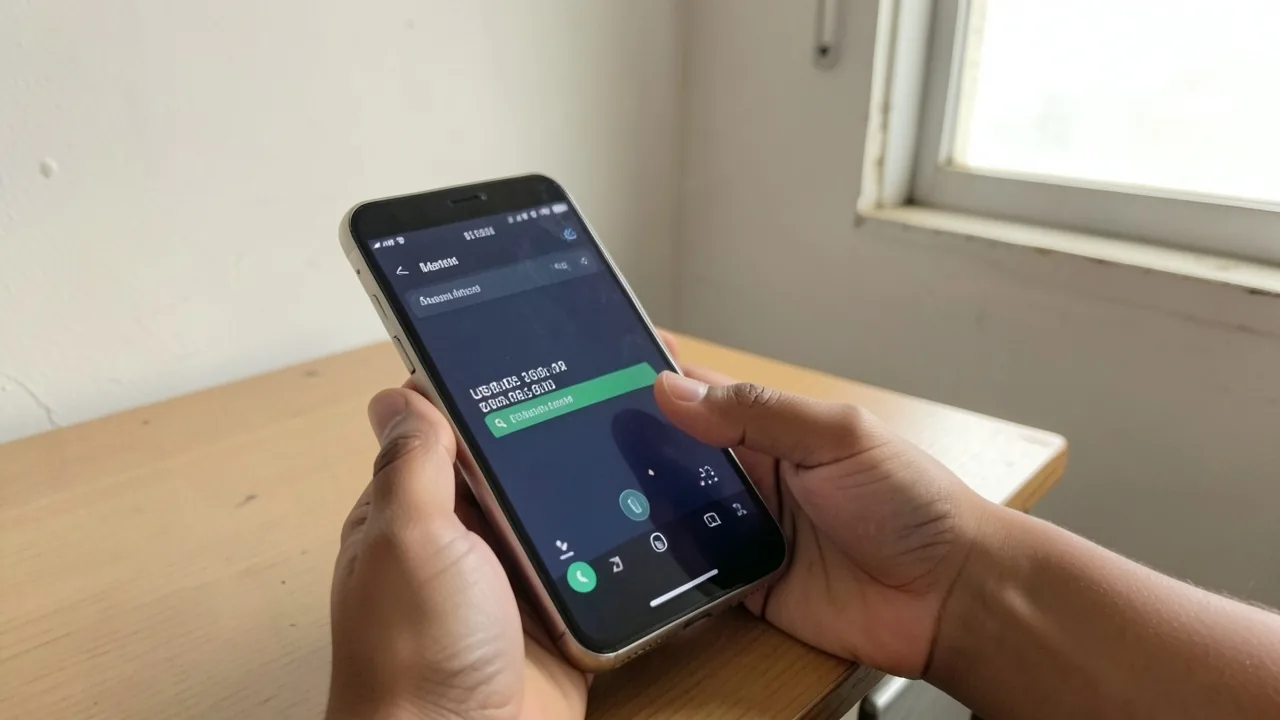
How to Check Your Malaysia SIM Card Number and Balance: A Quick Guide for Indian Travelers
You land at KLIA, slot in the tourist SIM the kiosk uncle just sold you, and the first thing the Grab driver asks is your number. Then your OTPs from Indian banks start landing in WhatsApp. Then your homestay host wants to call. And you are staring at the phone thinking, “What is my number, and how much balance do I even have left?” Verified against the official Maxis, Celcom, Digi, and U Mobile USSD references and recent traveller reports from June 2026, here is the fastest way to find both, on any phone, without installing anything. Planning the wider region? Our Southeast Asia backpacking hub covers the full multi-country route.
The short answer: dial a USSD code, read the screen. Every Malaysian operator uses the same family of codes, and they work on a freshly activated tourist SIM, on a postpaid line, and even on a SIM that has run out of data. No app needed. The codes below are the same ones Malaysian teenagers use to check their prepaid balance after school, so they will not change without a nationwide announcement.
Verified rates for this article: 1 MYR = ₹23.64. The SIM prices and top-up figures below use this rate.
Quick Answers
| What | Answer | Price (INR) |
|---|---|---|
| Cheapest tourist SIM (Hotlink/Celcom 7-day) | ~5 GB data, ₹355 (~15 MYR or ~$3.68) | ₹355 (~15 MYR or ~$3.68) |
| USSD to check your own number (Maxis/Hotlink) | Dial *121# | Free |
| USSD to check balance and data (Maxis/Hotlink) | Dial *100# | Free |
| USSD to check your own number (Celcom) | Dial *118# | Free |
| USSD to check balance and data (Celcom) | Dial *122# | Free |
The codes above are the codes every Indian traveller gets stuck on at the airport. Memorise these two lines and the rest of the article is reference material.
The Universal USSD Codes (All Four Operators)
USSD stands for Unstructured Supplementary Service Data. In plain English, it is the old-school menu you get when you dial a code starting with * and ending with #. It works on every phone, even a ₹4,000 (~$41.49) Redmi with no data and no apps installed, and the reply arrives in 2 to 5 seconds.
There are only two things every traveller ever needs:
- My own phone number. The number your bank OTPs are being routed to.
- My remaining balance and data. So you know when to top up before your Grab stops loading.
Below are the codes for all four major Malaysian carriers. If you bought a tourist SIM at the airport and the brand on the card is one of these, you are covered.
Maxis and Hotlink (Maxis prepaid brand)
Hotlink is what most airport kiosks sell to tourists, because Maxis owns it. The card literally has “Hotlink” written on it.
| What you want | Code to dial | What you will see |
|---|---|---|
| Your own number | *121# | Your mobile number on screen |
| Balance and data remaining | *100# | Main credit + data balance + validity |
| Check active plan | 1001# | Current plan details |
| Customer service | *121# then choose menu | Live agent (English available) |
Travellers report *121# returns your number in about 2 seconds. The number shown is the one to share with Grab drivers and homestay hosts.
Celcom and Yoodo
Celcom is the second-largest operator and shows up at most KLIA kiosks next to Hotlink. Yoodo is Celcom’s digital-first brand.
| What you want | Code to dial | What you will see |
|---|---|---|
| Your own number | *118# | Your mobile number on screen |
| Balance and data remaining | *122# | Main credit + data balance |
| Internet balance | 1181*1# | Just the data portion |
| Customer service | *111# | Menu tree, English option 9 |
A common Celcom gotcha: *122# shows credit and data as two separate numbers, and they look similar. The first is your calling credit (in MYR), the second is your data (in MB or GB). Read both before assuming you are out of credit.
Digi
Digi is the third big carrier, common in East Malaysia (Sabah, Sarawak) and increasingly common in KL.
| What you want | Code to dial | What you will see |
|---|---|---|
| Your own number | *126# | Your mobile number on screen |
| Balance and data remaining | *123# | Main credit + data balance |
| Internet balance only | 1231# | Just the data portion |
| Customer service | 1233# | Menu tree |
Digi cards are bright yellow with the “Digi” wordmark. If the card is yellow, these are your codes.
U Mobile
U Mobile is the fourth carrier, and the SIMs are red. They are popular with travellers who want cheap unlimited data plans.
| What you want | Code to dial | What you will see |
|---|---|---|
| Your own number | *118# | Your mobile number on screen |
| Balance and data remaining | *100# | Main credit + data balance |
| Internet balance only | 1181# | Just the data portion |
| Customer service | *131# | Menu tree |
Subodh’s Pro Tip: Save the codes that match your operator as contacts in your phone. Name them “Maxis Number Check”, “Celcom Balance”, and so on. When you are stuck at 11 PM in Penang with no Wi-Fi, fumbling for the right code is the last thing you want to do.
Why Your Number Does Not Show Up Automatically
This is the question every Indian backpacker asks after switching SIMs in Malaysia. In India, BSNL, Jio, and Airtel all push your own number to the home screen or display it under Settings. Malaysian prepaid SIMs do not, by default. You have to ask for it.
The reason: Malaysian telcos treat the SIM as a data-first product for tourists, not a voice product. They assume you already know your number (it is printed on the SIM card holder, in tiny text, under the barcode) and that you will use WhatsApp or Telegram, both of which use your number as your account ID.
The catch: the number printed on the card is the ICCID, which is the SIM card’s serial number, not your phone number. Your actual phone number is assigned when the SIM first connects to the network, which happens in the airplane at 30,000 feet if you put the SIM in before landing. By the time you clear immigration, the number is yours.
So: dial the code, read the screen, write it down, and save it as your own contact. Done.
The App Method (When USSD Fails)
USSD codes work on every phone, but they have one weakness: they do not survive a network outage. If Maxis is having a bad day and *121# returns an error, you can check via the carrier’s app instead.
| Carrier | App name | What you can check |
|---|---|---|
| Maxis / Hotlink | MyMaxis or Hotlink app | Number, balance, data, validity, top-up |
| Celcom / Yoodo | Celcom Life or Yoodo app | Number, balance, data, plan details |
| Digi | MyDigi | Number, balance, data, plan details |
| U Mobile | My U Mobile | Number, balance, data, plan details |
All four apps are free on Google Play and the App Store, and all four require registration with your Malaysian phone number. Catch-22: you need the number to register, which is why the USSD code is your first move, and the app is your backup.
Travellers report the MyMaxis and MyDigi apps are the most stable. Celcom Life has had reports of slow loading on Redmi devices. Yoodo’s app is the cleanest but only works on Yoodo SIMs.
Subodh’s Pro Tip: Once you have your number, register the carrier app immediately, before you leave the airport’s free Wi-Fi zone. Once you are in a taxi, you will have data but no Wi-Fi, and registration over mobile data sometimes requires an OTP that lands on the same SIM, which can create a loop.
How to Top Up (Because “Balance Check” Only Matters If You Can Refill)
Checking your balance is only useful if you can refill it. Here is the quick version, with the full guide in our Malaysia SIM card recharge plans and top-up guide.
The four main top-up methods:
-
At any 7-Eleven, KK Mart, or MyNews. Walk in, say “Top up Hotlink 30” (whatever amount), pay cash. The counter staff will ask for your phone number and the amount. Receipts are issued. Minimum top-up is usually ₹118 (~5 MYR or ~$1.23).
-
Via the carrier app. Use a Malaysian debit or credit card. The app stores the card for future top-ups. Note: Indian RuPay cards sometimes fail here, Visa and Mastercard work almost always.
-
Via online banking (Maybank, CIMB, Public Bank). Transfer from a Malaysian bank account to the prepaid number. Only relevant if you opened a local bank account, which most tourists do not.
-
Credit sharing from another Malaysian number. Dial *100# and select “Share Credit” if a friend or homestay host has credit to spare. Useful in emergencies.
For complete step-by-step instructions on each method, our how to top up your Malaysia SIM card guide walks through every option in detail.
What “Balance” Means
The screen after *100# (Maxis) or *122# (Celcom) shows several numbers, and the terminology confuses first-time users. Here is what each one means:
- Main Credit / Talktime. This is what you use for calls and SMS. Measured in MYR. If you only use data and WhatsApp, this number barely moves and ₹118 (~5 MYR or ~$1.23) lasts a week.
- Data Balance / Internet Balance. This is your remaining high-speed data. Measured in MB or GB. When this hits zero, your data speed drops to a crawl (128 kbps or so), and WhatsApp stops loading photos.
- Validity / Active Until. The date your SIM stops working entirely. A 7-day tourist SIM has a validity of 7 days from first use, not 7 days from purchase.
- Bonus Credit / Bonus Data. Promotional credit that runs out faster than the main credit. Hotlink and Celcom both love to bundle bonuses.
The gotcha: when data hits zero, your WhatsApp messages still send (they use a tiny amount of low-speed data), but photos and voice notes fail silently. Most travellers think their SIM is broken, when they just ran out of data and the speed dropped. Check the data balance first.
Specific Use Cases Indian Travellers Always Hit
You Bought a SIM at KLIA and Need Your Number for Grab
Walk out of immigration, head to the main hall, open Grab, type in the number from *121# (the matching code for your operator), request the OTP, enter the 4-digit code, done. Takes under 3 minutes.
Your Indian Bank OTP Is Not Arriving
Some Indian banks refuse to send OTPs to foreign numbers for security. This is not a Malaysia SIM problem, it is the bank’s policy. If your bank’s app lets you whitelist a foreign number, do it before you fly. If not, you are stuck using email OTPs or calling customer care from your Malaysian number.
You Want to Forward Your Indian Number to WhatsApp Without Losing It
WhatsApp on a new SIM means a new account unless you transfer. WhatsApp has a “Change Number” feature that keeps your chat history and group memberships. Do this before you delete the Indian SIM from your phone. The
You Hit Zero Data and Need a Quick Rescue
If your data hits zero and you cannot load the carrier app, dial 1001*1# (Maxis) or the equivalent for your carrier to see your exact data balance. If it is genuinely zero, walk into any 7-Eleven and ask for a ₹237 (~10 MYR or ~$2.46) top-up. You will be back online in under 10 minutes.
For a deeper look at SIM brands, plan comparisons, and which operator suits which kind of traveller, our Malaysia SIM card brands and operators guide breaks it down.
eSIM Alternative: Skip the Physical SIM Entirely
If you have a phone that supports eSIM (iPhone XS and newer, most 2020-and-newer Samsung, Pixel 3 and newer), you can skip the airport kiosk and buy a Malaysia eSIM online before you fly. The number is assigned digitally and shows up in your phone’s settings within minutes of activation.
The big names in Malaysia eSIM for Indian travellers:
- Airalo. Most popular. Plans start around ₹482 (~5 USD) for 5 GB / 7 days. App is clean, activation is instant.
- Nomad eSIM. Similar pricing, good coverage in rural areas. Get Nomad eSIM for plans from ₹675 (~7 USD) for 5 GB.
- Holafly. Unlimited data plans, but pricier. Good for heavy users.
- GigSky. Less popular, but works.
The catch with eSIM: your physical Indian SIM stays in the phone, so you keep your Indian number for OTPs. WhatsApp on the Indian number keeps working. The Malaysian eSIM handles data. You cannot make voice calls on most eSIM plans, so SMS Our full Malaysia eSIM guide for Indian travelers compares Airalo, Nomad, Holafly, and the major Malaysian carrier eSIMs side by side.
Validity: When Your Number Dies
This is the part most guides skip. A 7-day tourist SIM does not last 7 days from purchase. It lasts 7 days from first use, which is the first time it connects to the Malaysian network. If you bought the SIM on Monday and did not put it in your phone until Wednesday, your 7 days run from Wednesday to the following Wednesday.
| Plan | Validity | What happens at expiry |
|---|---|---|
| 7-day tourist SIM | 7 days from first use | Number recycled, SIM dead |
| 30-day tourist SIM | 30 days from first use | Number recycled, SIM dead |
| Postpaid SIM | Monthly, auto-renew if paid | Number kept as long as you pay |
| Prepaid with no active plan | 30 to 90 days of inactivity | Number recycled, SIM dead |
If you want to keep your Malaysian number active longer (say, across a multi-week trip with breaks), top up with even a small ₹118 (~5 MYR or ~$1.23) credit before the validity expires. Every top-up extends validity by the plan period.
For the full validity rules and registration requirements, see our Malaysia SIM card validity and registration rules guide.
Troubleshooting: When the Codes Do Not Work
If you dial *121# (any code) and the response is “Unable to process” or the screen goes blank:
- Wait 30 seconds and try again. USSD sessions can time out if the network is busy.
- Check that your SIM is registered on the network. The signal bars at the top of the screen should show 4G or 5G. If they show “No Service,” the SIM is not activated yet. Reboot the phone.
- Try the carrier app instead. It uses mobile data, which uses a different network path than USSD.
- Pop the SIM into another phone. If the codes work there, your phone has an issue (rare but possible on cheap Android phones).
- Call the carrier hotline. Maxis: 1-800-82-1123. Celcom: 1-119. Digi: 1-800-82-3434. U Mobile: 1-800-88-1188. All four have English-speaking agents.
If nothing works after a full day, head back to the original kiosk (any branch of the same carrier) with your passport and the SIM. They will re-issue the SIM on the spot.
Safety and Connectivity Notes
Malaysian SIMs work fine across the country, including Sabah, Sarawak, and the islands (Langkawi, Penang, Tioman). Coverage in Cameron Highlands and the interior of Borneo can drop to 3G or edge-of-network. Travellers report Maxis has the strongest rural coverage, Celcom is second, Digi is third, U Mobile is fourth.
For a deeper look at VPN, Wi-Fi, and connectivity hacks, our Malaysia Wi-Fi, SIM, and VPN connectivity guide covers the full stack.
Safety Alert: Before any Malaysia trip, check the official Indian Ministry of External Affairs travel advisory at mea.gov.in and the Malaysian Immigration Department site for the latest rules. SIM registration rules and entry requirements can change with little notice.
Subodh’s Take
The codes look intimidating in a table, but the actual daily habit takes about 10 seconds. I keep two numbers saved in my phone: “My Maxis Number” (the result of *121#) and “Maxis Balance” (the result of *100#). Every few days, I dial the second one, read the screen, and top up if I am below ₹118 (~5 MYR or ~$1.23). That is the whole system. If you are the kind of traveller who runs out of data mid-Grab, save this article in your offline reader before you fly. It has saved me more times than I want to admit.
FAQ
How do I find my Malaysia SIM number if I lost the SIM card holder? Dial *121# for Maxis/Hotlink, *118# for Celcom, *126# for Digi, or *118# for U Mobile. Your number appears on screen in 2 to 5 seconds.
Is there a single USSD code that works for all Malaysian operators? No. Each carrier uses its own code. The universal shortcut is to install the carrier’s app, register it once, and check everything from there.
How do I check how much data I have left? Dial *100# on Maxis, *122# on Celcom, *123# on Digi, or *100# on U Mobile. The data balance is shown separately from your main credit.
Why does my Malaysia SIM show no number under Settings? Malaysian prepaid SIMs do not push your number to the system settings by default. You have to ask for it via USSD or the carrier app.
Can I check my balance without internet? Yes. USSD codes (*100#, *122#, *123#, *118#) work over the voice network, not data. You can check balance even when your data has run out.
How do I top up my Malaysia SIM card as an Indian tourist? Walk into any 7-Eleven, MyNews, or KK Mart with your phone. Tell the cashier your number and the top-up amount (minimum ₹118 (~5 MYR or ~$1.23)). Pay cash, done in under 2 minutes.
What happens to my number after my tourist SIM expires? The number is recycled and assigned to a new user within 30 to 90 days. If you want to keep it, top up before expiry or migrate to a postpaid plan.