Stay Connected in Malaysia: Free WiFi, SIM, VPN & Pocket WiFi Guide for Indian Travelers
Connectivity is the first thing Indian backpackers stress about before landing in Malaysia. Will WhatsApp calls to family work? Can you book a Grab from KLIA at 2 AM? Is the airport WiFi free or is it a captive portal trap? Do you need a VPN at all? And what about those pocket WiFi boxes you keep seeing in travel Facebook groups? For related planning, see our guide on Sea Backpacking Hub.
I’ve sorted through the noise. This guide covers everything from free WiFi at KLIA and KL city centres, to tourist SIM pricing on Hotlink and Celcom, to whether a VPN is necessary, to pocket WiFi rentals that ship with VPN already installed on the firmware. One read, and you’ll know exactly what to do the moment the seatbelt sign turns off.
Quick Answers
| What | Answer | Price (INR) |
|---|---|---|
| Tourist SIM (7 days, ~5GB) | Hotlink / Celcom prepaid at airport counter | ₹353 (~15 MYR or ~$3.67) |
| Pocket WiFi rental (per day) | Airport kiosks, Klook, TravelWifi | ₹188-₹424 (~8-18 MYR or ~$1.96-$4.40) |
| Free WiFi at KLIA | Yes, 1 hour free, available throughout terminals | 0 MYR |
| Do Indians need a VPN in Malaysia? | Recommended but not strictly required | 0 MYR (VPN apps free) |
| Nomad eSIM (regional Asia, 1GB/7 days) | Activate before flight, lands ready | ₹482 (~5 USD) |
Prices above reflect the local currency paid on the ground in Malaysia. At the current rate of 1 MYR ≈ ₹23.59, a 15 MYR tourist SIM works out to roughly ₹354 (~$3.67). The system below adds the full triple-currency view for you.
Free WiFi in Malaysia: Where It Works
Free WiFi in Malaysia is real, but patchy. The good news: KLIA, KL city centre malls, and most hotel lobbies have it. The bad news: speed varies wildly, captive portals sometimes demand an SMS
KLIA Free WiFi (the @MyKlik hotspot)
KLIA terminals (both KLIA1 and KLIA2) run a free WiFi service called @MyKlik. You get 1 hour of free access per session, capped at 5 Mbps, which is enough for WhatsApp messages, Grab bookings, and basic email. After the hour ends, the captive portal lets you watch a short ad in exchange for another free hour. Travellers report the speed drops during peak evening arrival banks when 200+ passengers hit the terminal at once.
Subodh’s Pro Tip: Connect to @MyKlik before you clear immigration, not after. The signal is stronger landside, and you’ll have a working connection to forward your Grab receipt or share your arrival status with family before your phone goes into airplane mode for the second time.
KL Free WiFi (Café, Mall, and Hotel WiFi)
Kuala Lumpur city is one of the more connected capitals in Southeast Asia for free WiFi. Most Starbucks, OldTown White Coffee, and McDonald’s branches hand out free WiFi without a purchase requirement. KLCC Suria mall has free WiFi throughout, Pavilion KL does too, and almost every mid-range hotel includes WiFi in the room rate. The catch: most of these networks block VoIP calls (WhatsApp, FaceTime, Telegram voice) to push you toward paid WiFi packages. A VPN sidesteps this, more on that below.
Free WiFi Outside KL (Penang, Langkawi, Cameron Highlands)
Penang and Langkawi have decent free WiFi in tourist zones (Georgetown’s UNESCO core has several café hotspots). Cameron Highlands is the opposite. Travellers report the only reliable internet in Kea Farm and Tanah Rata is what your hotel or hostel provides, often a single WiFi router covering the whole building. Don’t count on streaming or even smooth WhatsApp video calls from up there.
SIM Cards for Indian Travelers in Malaysia
A tourist SIM is the cheapest and most reliable way to stay connected in Malaysia. The two main prepaid brands for short-stay visitors are Hotlink (under CelcomDigi) and the prepaid arm of Maxis, both available at the airport the moment you land.
Hotlink Tourist SIM: The Default Choice
Hotlink’s prepaid tourist pack is the most common pick for Indian backpackers. It’s sold at every KLIA arrivals counter, every Celcom store in the city, and most 7-Eleven branches. The standard 7-day pack runs ₹353 (~15 MYR or ~$3.67) and includes around 5GB of 4G data, plus free domestic calls and a small bundle of SMS. Activation is automatic, you pop in the SIM, restart your phone, and it lights up.
Indian passport holders don’t need to register the SIM separately at the counter, your passport is enough. Hotlink accepts both physical SIM and eSIM; if your phone supports eSIM, you’ll save the 5 minutes of fiddling with a tray pin.
For a deeper breakdown of Hotlink plans, what each tier includes, and where to skip the airport markup, see our Hotlink SIM plans and pricing guide.
CelcomDigi and Maxis Prepaid
CelcomDigi (post-merger brand) and Maxis run their own tourist SIMs. Pricing sits in the same ₹353-₹707 (~15-30 MYR or ~$3.67-$7.34) band for 7 days, with data caps ranging 5GB to 20GB depending on the pack. For most backpackers, Hotlink is the default because of sheer availability, but if you’re heading to a rural area, check the network coverage map. Maxis tends to have a stronger 4G footprint in east Malaysia (Borneo) and certain parts of Pahang.
If you want to compare all three networks side by side, our Malaysia SIM card brands and operators guide breaks down speeds, coverage, and which packs give the best per-GB rate.
Buying a SIM at KLIA
The airport is the most expensive place to buy a SIM, but also the most convenient. Counter staff speak English, handle the activation for you, and you’ll be online before you reach the Grab stand. Expect to pay ₹118-₹236 (~5-10 MYR or ~$1.22-$2.45) more than downtown prices for the same pack.
For the full airport-counter walkthrough, our KLIA SIM pick-up guide covers every kiosk, opening hours, and which counter has the shortest queue.
eSIM Options Before You Fly
If your phone supports eSIM, an eSIM means you arrive online without ever opening a SIM tray. Nomad and Airalo both sell Malaysia-specific eSIMs, and Nomad’s regional Asia pack covers Malaysia, Thailand, Vietnam, and Singapore on one plan.
For a side-by-side of Airalo, Nomad, Holafly, and the rest, our Malaysia eSIM comparison guide lays out data caps, validity, and which one makes sense for a 7-day KL trip versus a 21-day Borneo loop.
Topping Up Your SIM Mid-Trip
Most prepaid SIMs in Malaysia can be topped up via the operator’s app (Hotlink has the Celcom Life app, Maxis has the MyMaxis app), via Touch’nGo eWallet, or at any convenience store. Reload credits start at ₹118 (~5 MYR or ~$1.22).
The full step-by-step is in our Malaysia SIM top-up guide.
VPN in Malaysia: Do Indians Need One?
The honest answer: you don’t need a VPN to use the internet in Malaysia. WhatsApp works. Instagram works. Gmail works. UPI apps don’t work, but they don’t work because they are India-region apps, not because of a Malaysia firewall.
But there are real reasons Indians commonly run a VPN in Malaysia:
- Hotel and café WiFi often blocks VoIP calls (WhatsApp, FaceTime, Telegram, Discord). A VPN routes through a Singapore or India server and unblocks them. This alone is the reason most Indian travellers install one.
- Public WiFi is unencrypted and easy to snoop on. A VPN encrypts your traffic so the café owner can’t read your banking session.
- Some Indian banking apps refuse to log in from a foreign IP. A VPN set to an Indian server fixes this, useful when your parents are transferring money and the bank app throws a “location not recognised” error.
- Streaming and content access. If you want to keep watching Hotstar India or SonyLIV from Malaysia, a VPN is the cleanest way.
The Malaysia government does not block social media, news sites, or messaging apps. There is no Great Firewall here. You’re running a VPN for convenience and banking access, not for political censorship bypass.
Safety Alert: Avoid free VPN apps with no published logging policy. Stick with paid services (NordVPN, Surfshark, ProtonVPN, Mullvad) where the company has staked its reputation on not selling user data. A “free VPN” that doesn’t charge you is selling something else, usually your traffic.
For VPN setup on a new phone before you fly, including how to pre-install Indian server profiles, our Malaysia camera and electronics customs guide has a short checklist on the apps that Indian customs usually waves through without question.
Pocket WiFi Routers: Rental vs Buy vs Built-in VPN Models
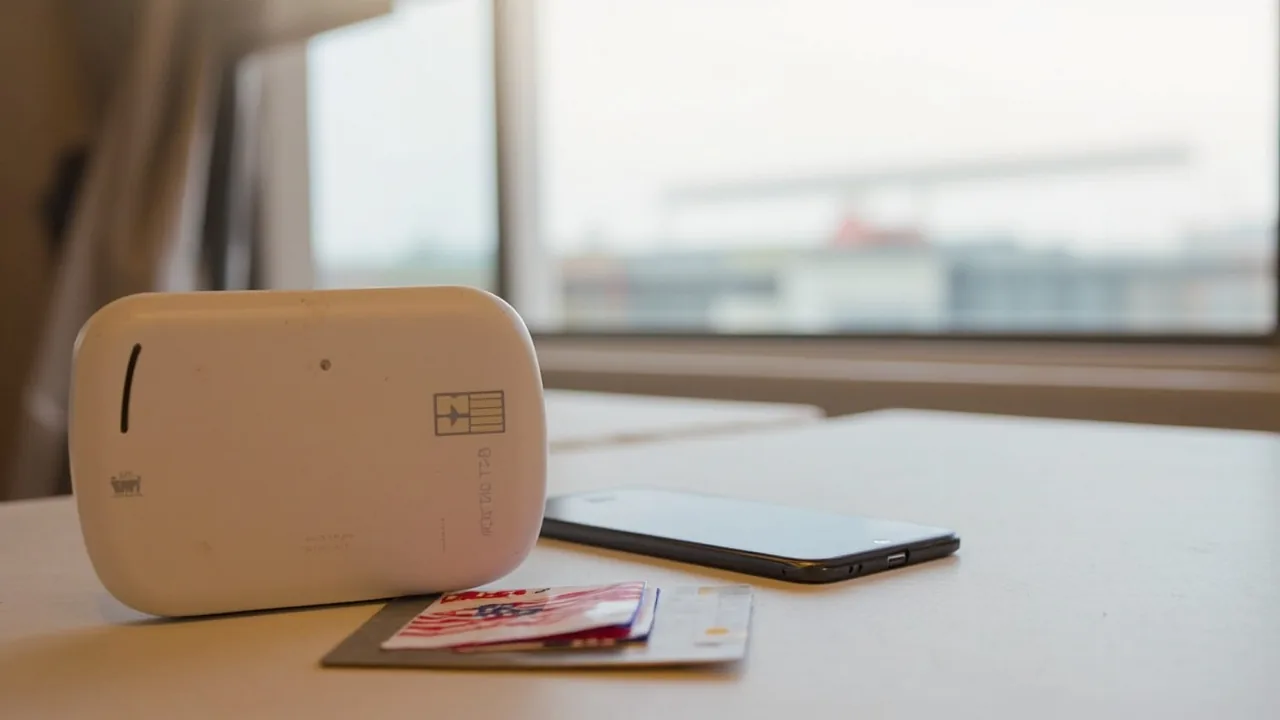
Pocket WiFi is a small battery-powered router that creates a personal WiFi hotspot using a local 4G SIM inside. Two or three of you connect to it over normal WiFi, and the router uses one data connection for everyone. Travellers like it because it saves your phone battery, lets multiple devices share one data pack, and gives you a separate network from the dodgy café WiFi.
Renting a Pocket WiFi in Malaysia
The standard rental price sits at ₹188-₹424 (~8-18 MYR or ~$1.96-$4.40) per day, with a 3-day minimum at most vendors. Pickup is at KLIA (Klook, TravelWifi, and a few local kiosks have counters in the arrivals hall), or at downtown collection points. Return is also at the airport, drop the unit in the prepaid courier box before you clear security.
What you get is usually a Huawei or GlocalMe device, unlocked, with a Hotlink or Celcom SIM inside and a battery that lasts 6 to 8 hours on a single charge.
Subodh’s Pro Tip: If you are a family of three or four sharing one unit, pocket WiFi is cheaper per person than three separate SIMs, even at the rental premium. For a solo backpacker, a ₹353 (~15 MYR or ~$3.67) SIM is the better deal.
Pocket WiFi With Built-In VPN
This is the angle that the comparison-shopping posts miss. Several pocket WiFi models on the Malaysian rental market ship with VPN firmware pre-installed, meaning every device that joins the hotspot is automatically routed through a VPN tunnel. No app install, no config, no separate subscription.
Two flavours of this exist:
- Operator-shipped VPN (free, basic): Some rental counters bundle a free Singapore or US VPN endpoint with the device, mostly to bypass VoIP blocks on hotel WiFi, which the device itself solves anyway. Speed is fine, server choice is limited.
- Third-party VPN firmware (paid upgrade): A few premium rental vendors (and the GlocalMe G4 Pro if you buy outright) let you load your own NordVPN or Surfshark credentials onto the device. Every connected phone, laptop, and tablet is then on the VPN automatically, without touching a single phone setting.
For a backpacker who travels with a laptop, this is genuinely useful. One VPN connection at the router level covers your phone, your partner’s phone, and your laptop, and you don’t burn a separate VPN slot on each device.
Buying a Pocket WiFi Instead of Renting
If you’re doing a multi-month SEA loop (Thailand, Vietnam, Cambodia, Malaysia), buying a pocket WiFi outright can be cheaper than renting. A GlocalMe G4 Pro or similar unlocked 4G router runs ₹7,707-₹11,561 (~80-120 USD) online. Pop in any local SIM, or pair it with a regional eSIM, and it works in every country you visit.
The trade-off is upfront cost, hassle if it breaks, and the fact that you still need a data SIM to feed it. Renting keeps everything simple, the vendor swaps a dead unit, replaces a drained battery, and handles the return.
Safety Alert: Buy pocket WiFi only from authorised resellers (the GlocalMe official store on Lazada/Shopee, or Klook’s verified rental kiosks at KLIA). Counterfeit units on random Shopee listings have been reported with weaker batteries and throttled chipsets.
Mobile Hotspot from Your Phone: The Cheapest Option
If you’re a solo traveller and your phone supports hotspot tethering, you can skip both the SIM and the pocket WiFi and just share your phone’s data connection with your laptop or your partner’s phone.
The catch: hotspot drains your phone battery fast. A 5,000 mAh phone running hotspot for 3 hours is down to 40%. Carry a power bank. For Malaysian socket types (G is the standard three-pin British-style, used in most older buildings, while newer builds add C and sometimes M), pack a universal adapter.
For the full socket-by-socket breakdown and which fast-chargers work in Malaysian outlets, our charging in Malaysia wireless and fast charging guide covers the wattage limits and adapter picks.
Public WiFi Safety: What Indian Travelers Need to Know
Free WiFi is great until someone sitting three tables away at the café runs a packet sniffer on the same network and reads your banking session. This is rare in Malaysia, but not theoretical. Two habits close the gap:
- Use a VPN on any public network. Every device, every time. The 5 MYR/month ProtonVPN plan is the cheapest fix.
- Turn off auto-connect. Your phone’s default is to join any open WiFi network named “Free_WiFi” or “Starbucks.” Disable this in your phone settings; manually select networks you trust.
If you must use public WiFi without a VPN for something sensitive (an emergency banking transfer, a one-time password SMS), do it on an HTTPS site only, never enter passwords on plain HTTP pages, and log out when you’re done.
Power and Charging: Keeping Your Gear Alive
Malaysia runs on 240V at 50Hz, same as India, so voltage isn’t the issue. The plug type is G (three rectangular pins, British-style), so your Indian plug won’t fit Malaysian wall sockets. Carry a universal adapter or a UK-style adapter.
For laptops and phones, fast charging standards differ: Malaysian outlets commonly deliver 13A at 240V. USB-C PD chargers up to 65W work fine. Wireless (Qi) chargers are increasingly common in cafés and malls.
If you’re carrying a power bank, note that Malaysia does not restrict power bank capacity on domestic flights, but your transit airline might. Stay under 100Wh (roughly 27,000 mAh at 3.7V) to be safe across all carriers.
Connectivity Costs: The Real Budget
For a 7-day Malaysian trip, here’s what connectivity costs:
| Item | Cost |
|---|---|
| Hotlink tourist SIM (7 days, 5GB) | ₹353 (~15 MYR or ~$3.67) |
| CelcomDigi / Maxis prepaid (alternative) | ₹353-₹707 (~15-30 MYR or ~$3.67-$7.34) |
| Pocket WiFi rental (7 days, basic) | ₹1,319-₹2,969 (~56-126 MYR or ~$13.70-$30.81) |
| Pocket WiFi rental (7 days, with built-in VPN) | ₹2,120-₹3,534 (~90-150 MYR or ~$22.01-$36.68) |
| Nomad eSIM (Malaysia, 1GB/7 days) | ₹482 (~5 USD) |
| VPN subscription (1 month, Proton / Surfshark) | ₹482-₹1,156 (~5-12 USD) |
| Extra data top-up mid-trip | ₹118-₹236 (~5-10 MYR or ~$1.22-$2.45) |
For a solo backpacker, the realistic budget is ₹353 (~15 MYR or ~$3.67) on a SIM, optional ₹482 (~5 USD) on a VPN, maybe ₹482 (~5 USD) on an eSIM if your phone supports both. For a couple or a small family, pocket WiFi with built-in VPN (around 13-20 MYR/day) is the cleanest setup and saves the hassle of two SIMs.
At the current rate of 1 MYR ≈ ₹23.59, a 15 MYR SIM is roughly ₹354.
For Indian rupee to MYR conversion and how to get the best rate when you arrive, our INR to MYR exchange guide covers the airport counters, Indian apps, and forex card options.
What to Pack: The Connectivity Kit
A pre-flight shopping list:
- Universal adapter (UK-style G plug compatible)
- Power bank under 27,000 mAh / 100Wh
- USB-C and Lightning cables (one spare each)
- VPN subscription activated and Indian server tested
- Pocket WiFi reservation confirmed (if renting)
- Nomad eSIM purchased and QR code saved offline
Skip: hardshell laptop cases (overkill for a 7-day trip), a separate 4G modem if your phone already has hotspot, a portable monitor (you’ll never use it on a sleeper bus).
Our Malaysia packing list has the full clothing + electronics checklist if you want the broader view.
Common Mistakes Indians Make With Malaysia Connectivity
-
Skipping the SIM and relying on hotel WiFi. Sounds fine until you realise hotel WiFi blocks WhatsApp calls and you’re stuck explaining to your parents why you can’t video-call home. A ₹353 (~15 MYR or ~$3.67) SIM fixes this for the entire trip.
-
Buying a SIM at the airport without checking the data cap. Some tourist packs at the KLIA counter look cheap but come with only 1GB of data, and the rest is “free” social media data that doesn’t include Google Maps. Ask the counter staff to show you the pack details before paying.
-
Not setting up a VPN before flying. Downloading a VPN app on Malaysian hotel WiFi is the worst time to discover that the App Store is throttled, or that your bank’s OTP won’t reach your Indian number on roaming. Set up at home on Indian WiFi.
-
Renting a pocket WiFi but leaving it in the hotel. This happens more than you’d think. The unit sits in the safe, your phone uses its own SIM, and you’ve paid ₹1,885 (~80 MYR or ~$19.57) for nothing. Clip it to your day bag the moment you leave the hotel.
-
Assuming UPI works in Malaysia. It doesn’t. Touch’nGo eWallet and GrabPay are the local equivalents. Set up Touch’nGo before you fly if you want QR-code payments at mamak stalls.
Subodh’s Take
Get the ₹353 (~15 MYR or ~$3.67) Hotlink SIM at the airport the moment you land, install a paid VPN on your phone while you’re still on Indian WiFi at home, and only consider pocket WiFi if you’re travelling with two or more people. That covers 90% of Indian backpackers. The pocket WiFi with built-in VPN is a real product, not a gimmick, and it’s the cleanest answer for laptop-carrying digital nomads who don’t want to fiddle with per-device VPN apps, but for a 7-day trip it’s overkill. Spend the ₹353 (~15 MYR or ~$3.67), get online, and stop thinking about connectivity.
FAQ
Is free WiFi available at KLIA for Indian travelers?
Yes. KLIA runs a free WiFi service called @MyKlik, available in both KLIA1 and KLIA2 terminals. You get 1 hour free per session, with an option to extend by watching a short ad. Speed is enough for WhatsApp and Grab bookings, around 5 Mbps, but drops during peak arrival banks.
Do Indian passport holders need a VPN in Malaysia?
Not for censorship reasons. Malaysia does not block social media or messaging apps. Indians typically use a VPN to (a) unblock WhatsApp and FaceTime calls on hotel and café WiFi, (b) access Indian banking apps that reject foreign IPs, and (c) keep public WiFi sessions encrypted. ProtonVPN and Surfshark are the common picks.
Can I rent a pocket WiFi in Malaysia with VPN built in?
Yes. Several rental vendors at KLIA and on Klook offer pocket WiFi units pre-loaded with VPN firmware. The basic models route traffic through a Singapore or US endpoint for free, while premium units let you load your own NordVPN or Surfshark subscription. Daily rental runs ₹188-₹424 (~8-18 MYR or ~$1.96-$4.40) for the standard unit, ₹306-₹471 (~13-20 MYR or ~$3.18-$4.89) for VPN-equipped versions.
Which is cheaper for India to Malaysia travel: SIM or pocket WiFi?
For a solo traveller, a Hotlink or Celcom SIM at ₹353 (~15 MYR or ~$3.67) is the cheapest path. For a couple or a family sharing one unit, pocket WiFi at ₹188-₹424 (~8-18 MYR or ~$1.96-$4.40) per day, split two or three ways, works out cheaper than buying multiple SIMs. The break-even is around 2 users.
What is the best tourist SIM card for Malaysia from India?
Hotlink prepaid (now under CelcomDigi) is the most widely available and easiest for first-time visitors. It sells at every KLIA counter, every 7-Eleven, and every Celcom store. The 7-day pack at ₹353 (~15 MYR or ~$3.67) includes ~5GB of 4G data, which is enough for Grab, Google Maps, WhatsApp, and casual browsing on a week-long trip.
Can I use a Nomad eSIM in Malaysia?
Yes. Nomad sells Malaysia-specific eSIMs and regional Asia eSIMs that cover Malaysia, Thailand, Vietnam, and Singapore on one plan. Activation is by QR code, the eSIM profile installs in your phone settings before you fly, and you arrive online without touching a SIM tray. India-issued phones with eSIM support (most iPhones from XR onward, most Samsung flagships from S20 onward) work without any modification.
How long does a tourist SIM stay active in Malaysia?
Hotlink and Celcom prepaid tourist SIMs run for 7 days from activation. If you extend your trip, you can top up via the Celcom Life app or at any 7-Eleven. Some Maxis tourist packs offer 30-day validity at higher price points (around ₹707 (~30 MYR or ~$7.34)). Our Malaysia SIM validity and registration rules guide covers the activation timer and the exact rules for extending.