Malaysia SIM Card Airport Pick-Up: Where to Buy and What It Costs
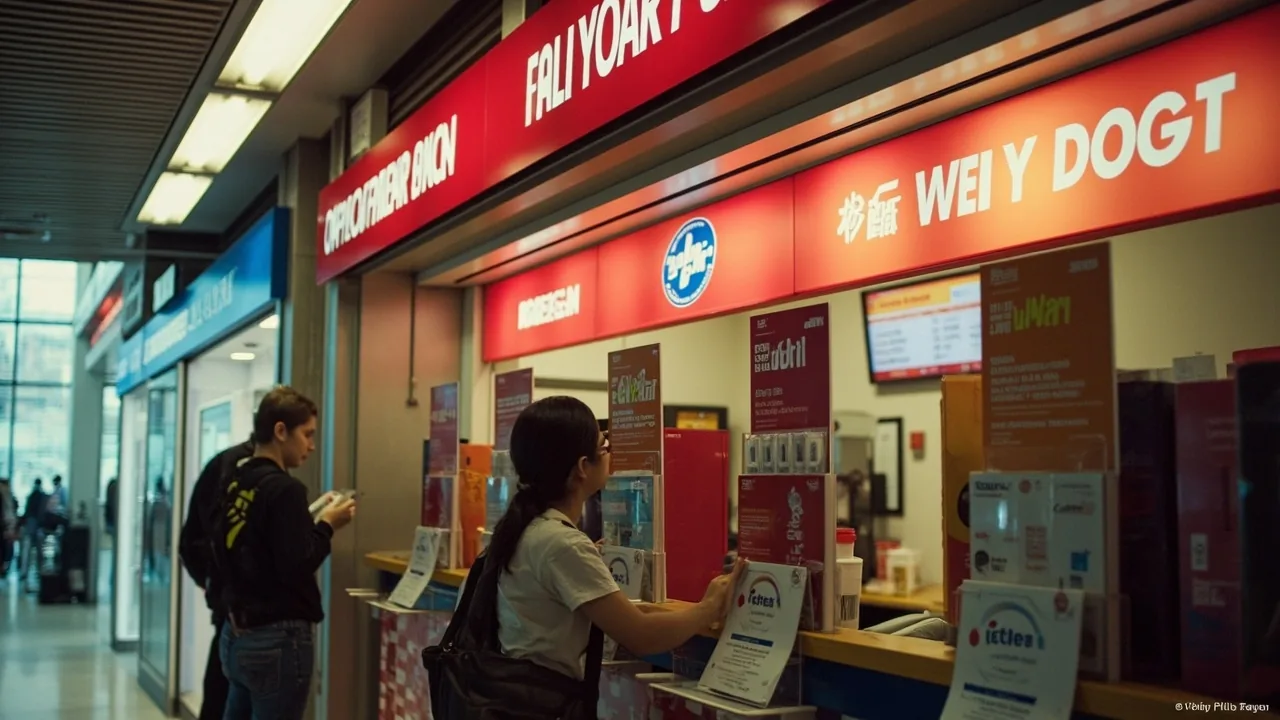
You land at KLIA, walk through immigration, and the first thing you see after baggage claim is a row of bright yellow, red, and blue telecom booths. That is your SIM card situation solved in fifteen minutes, no airport Wi-Fi hunting required. Most Indian travellers who pick up a Malaysia SIM card at the airport end up paying a small premium over town prices (think ₹118 (~5 MYR or ~$1.22) to ₹236 (~10 MYR or ~$2.45) extra) and getting the trade-off of walking out of the terminal already connected, with Grab already loaded and Google Maps already pointing at their hostel. For related planning, see our guide on Sea Backpacking Hub.
The other route, increasingly popular, is an eSIM you buy before you even board the plane. Klook and Airalo both sell Malaysia eSIMs that activate the moment your phone hits Malaysian towers, no airport counter queue, no passport handover, no SIM-ejector pin. For the route-obsessed planner it is the cleaner option. For everyone else, the airport pick-up still wins on price-per-GB and on the simple fact that a physical SIM works in phones that do not support eSIM (older Redmi Notes, most Jio phones used as backup, anything pre-2020).
This guide covers both. Read the airport section if you want a SIM in your hand at KLIA, the eSIM section if you want zero friction, and the FAQ at the end for the weird edge cases (dual-SIM phones, no eSIM-compatible device, lost passport page).
Quick Answers
| What | Answer | Price (INR) |
|---|---|---|
| Cheapest tourist SIM at KLIA | Hotlink/Celcom 7-day tourist pack at the airport counter | ₹353 (~15 MYR or ~$3.67) |
| What that pack includes | Around 5GB high-speed data, local minutes, some credit for calls | ₹353 (~15 MYR or ~$3.67) |
| Bigger airport option (10-day, more data) | Celcom/Digi tourist SIM, 15-25 GB plans | ₹707 (~30 MYR or ~$7.34) to ₹1,178 (~50 MYR or ~$12.23) |
| Counter operators you will see | Celcom (yellow), Maxis/Hotlink (red), Digi (blue), U Mobile (purple) | — |
| Documents needed | Passport with valid Malaysia visa/eNTRI approval | — |
| eSIM alternative (no airport queue) | Airalo / Klook / Nomad Malaysia eSIM | ₹482 (~5 USD) to ₹1,445 (~15 USD) |
| Activation time at airport counter | 5 to 15 minutes including passport scan and SIM swap | — |
KLIA vs KLIA2: Which Terminal Are You Landing At?
This matters. Indian flights land at one of two terminals, and the SIM card situation is different at each.
KLIA (Terminal 1) is the main international hub. Air India, Malaysia Airlines, and most full-service carriers land here. The SIM counters are on Level 3, just past customs and before you exit into the main arrival hall. Look for the cluster of brightly-coloured booths right after the “Welcome to Malaysia” signage. All four major operators have a presence: Celcom, Maxis (which owns Hotlink), Digi, and U Mobile.
KLIA2 (Terminal 2) is the low-cost terminal. AirAsia, Batik Air, and most budget carriers land here. SIM counters here are slightly fewer and the queue can be longer because of the volume of tourist arrivals, but the same operators run booths. If you are flying AirAsia from India (a common routing via Kuala Lumpur), this is your terminal.
In both cases, the official airport counters sit before the taxi queue and the monorail entrance. You will see them. Do not get distracted by the unofficial “SIM card” people standing near the exit doors offering cut-price deals, those are third-party resellers charging ₹236 (~10 MYR or ~$2.45) to ₹471 (~20 MYR or ~$4.89) markup with no real support if something goes wrong.
Subodh’s Pro Tip: If you are flying into KLIA2 on AirAsia from Kochi or Trichy, walk straight past the first SIM counter you see and head to the Celcom or Maxis booth near the McDonald’s on Level 3. The queues are half the length and the staff handle tourist registrations faster.
The Operators: Celcom, Maxis, Hotlink, Digi, U Mobile
You will see four names on the booth signs. Here is the practical difference, not the marketing difference.
Celcom (yellow booths) runs on the broadest 4G/5G coverage outside Kuala Lumpur. If you are heading to Cameron Highlands, Penang, or the east coast islands, Celcom has the most reliable rural signal. Their tourist SIM packs tend to bundle a bit more data for the price.
Maxis / Hotlink (red booths) is the same company, Hotlink is Maxis’s prepaid youth brand. Hotlink tourist SIMs are what most Indian travellers end up with because the price-per-GB at the airport is the lowest. The ₹353 (~15 MYR or ~$3.67) / 7-day pack with around 5GB is the standard “I just need data for a week” option. Use the Hotlink plans and pricing breakdown for full details.
Digi (blue booths) is owned by Telenor. Coverage is solid in cities, weaker in rural areas. They push bigger data packs (15GB to 25GB) for the same airport price, so if you are data-hungry and staying urban, Digi is worth a look.
U Mobile (purple booths) is the smallest of the four but has aggressive tourist pricing. Their ₹707 (~30 MYR or ~$7.34) / 10-day / 25GB pack is the value play if you stream a lot of video on the road.
For a deeper comparison of all four operators, the Malaysia SIM card brands and networks guide is the right read.
What the Airport SIM Costs
Here is the pricing breakdown from the KLIA and KLIA2 counters as of 2026. Prices below are the counter prices, not what a third-party reseller in the arrival hall will quote you.
| Pack | Operator | Validity | Data | Price |
|---|---|---|---|---|
| Tourist 7-day | Hotlink/Celcom | 7 days | ~5GB | ₹353 (~15 MYR or ~$3.67) |
| Tourist 10-day | Digi | 10 days | ~15GB | ₹589 (~25 MYR or ~$6.11) |
| Tourist 10-day | Celcom | 10 days | ~20GB | ₹707 (~30 MYR or ~$7.34) |
| Tourist 15-day | U Mobile | 15 days | ~25GB | ₹707 (~30 MYR or ~$7.34) |
| Tourist 30-day | Maxis | 30 days | ~30GB | ₹1,178 (~50 MYR or ~$12.23) |
| Tourist 30-day premium | Celcom | 30 days | ~50GB + 5G | 80 MYR |
At current rates (1 MYR ≈ ₹23.59), the 15 MYR Hotlink pack works out to about ₹354 (~$3.67), and the ₹707 (~30 MYR or ~$7.34) U Mobile 10-day pack comes to around ₹708 (~$7.35). The ₹1,178 (~50 MYR or ~$12.23) Maxis 30-day option is roughly ₹1,180 (~$12.25). For a one-week KL-and-Penang trip, the ₹353 (~15 MYR or ~$3.67) pack is honestly enough data if you are on Wi-Fi at your hostel in the evenings. For two weeks with day trips and a Cameron Highlands detour, go ₹707 (~30 MYR or ~$7.34).
Town prices (any 7-Eleven, KK Mart, or Celcom/Maxis store in KL city centre) are ₹47 (~2 MYR or ~$0.49) to ₹118 (~5 MYR or ~$1.22) cheaper on the same packs. The airport premium is the convenience tax.
What You Need at the Counter
Passport. Not a photocopy, not a photo on your phone, the physical booklet. The counter staff need to scan it for the tourist SIM registration, which is mandatory under Malaysian law.
Valid visa or eNTRI approval. For Indians, this is either the free eNTRI (15 days, no fee) or the paid e-Visa (around 22 USD / about ₹2,124 at current rates of 1 USD = ₹96.53). Apply online at the official portal https://entri.petra.gov.my before you fly, airport SIM counters will refuse to register your number against an expired or absent visa. See the Malaysia visa application and payment guide for the cleanest application walkthrough.
Cash or card. All airport counters take Visa and Mastercard. Most also take Touch’nGo eWallet via QR, but a physical card is the safest fallback. Malaysian Ringgit in cash is fine but not required.
Unlocked phone. Your phone needs to be carrier-unlocked. Indian phones bought on EMI from Jio or Airtel are usually locked for 12 months. If your phone is locked, the SIM will register but you will get zero signal. Test this before you fly by popping in any local SIM at home.
SIM ejector pin or a paperclip. Sounds obvious but I have watched three Indian travellers ask the counter staff for one and they do not always have spares.
Step-by-Step: What Happens at the Counter
The whole process at a KLIA or KLIA2 SIM counter takes 5 to 15 minutes. Here is the actual flow.
- Walk up to the booth, pick the operator you want (Hotlink for the cheapest, Celcom for rural coverage, Digi/U Mobile for bigger data packs).
- Hand over your passport. The staff will scan the bio page and your visa/eNTRI stamp or eVisa printout.
- Tell them which tourist pack you want. If you have not decided, say “data-only 7-day for 15 ringgit” and they will steer you right.
- They will pop a fresh SIM card out, write your new Malaysian phone number on a slip of paper, and slot it into your phone. If you are keeping your Indian SIM active for OTP messages (UPI, banking), ask for a dual-SIM tray or swap your primary SIM to slot 2.
- The staff will run an activation SMS and confirm you have bars. Do not walk away until you see 4G or 5G and can load a webpage.
- Pay. Card or cash, no markup either way.
- Keep the slip of paper with your new Malaysian number, you will need it for hotel check-ins, Grab registration, and any top-up later.
Safety Alert: The biggest fraud risk at KLIA is not the SIM counters themselves, it is the unofficial resellers hovering near the exit doors offering “SIM card, cheap, 5 ringgit.” These are tourist-trap resellers loading expired or zero-credit SIMs. Buy only at the branded booths inside the terminal.
For the full registration rules and what happens if your visa type changes mid-trip, read the Malaysia SIM card validity and registration rules.
The eSIM Option: Skip the Counter Entirely
If you would rather not queue, the eSIM route has gotten good enough in 2026 that it is worth considering seriously, especially since this is the gap that most India-targeted Malaysia SIM guides leave unfilled.
An eSIM is a digital SIM profile you download to your phone before you fly. You buy it online, scan a QR code, and your phone has a Malaysian number and data plan the moment it connects to a Malaysian tower. No physical card, no passport scan, no counter queue.
Where to buy:
- Nomad eSIM offers Malaysia plans from around ₹482 (~5 USD) for 1GB / 7 days up to ₹2,408 (~25 USD) for 20GB / 30 days.
- Airalo is the most popular option with Indian travellers, plans start at around ₹482 (~5 USD) / 1GB.
- Klook sells Malaysia eSIMs alongside their airport transfer and attraction tickets, prices roughly the same as Airalo.
Pros over airport SIM:
- Buy before you fly, activate on landing, walk straight to the taxi queue.
- No passport handover, no registration paperwork.
- Easy to top up from the same app if you run out of data.
- Your Indian SIM stays in slot 1, your eSIM is “secondary,” so you keep getting UPI and banking OTPs on your Indian number.
Cons:
- Your phone must support eSIM. IPhone XS and newer, Samsung Galaxy S20 and newer, Google Pixel 3 and newer. Older Redmi and Realme phones often do not.
- ₹193 (~2 USD) to ₹482 (~5 USD) more expensive per GB than the airport counter.
- Local Malaysian phone number is data-only on most eSIMs, you cannot make regular phone calls or send SMS, only use data-based apps like WhatsApp.
The full breakdown of data packs, prices, and which providers to trust is in the Malaysia eSIM guide for Indian travellers.
Topping Up After the Airport
Your airport SIM will run out of data or validity before your trip ends, this is normal. There are three clean ways to top up.
1. Operator app. MyHotlink for Hotlink/Maxis, Celcom Life for Celcom, MyDigi for Digi, U Mobile app for U Mobile. Download the relevant app from the Play Store before you fly (you can do this on Indian Wi-Fi). Top up with any Visa/Mastercard debit card, including Indian ones with international transactions enabled. Most apps charge a 0.50 MYR to 1 MYR service fee.
2. 7-Eleven or KK Mart. Walk in, say “Hotlink top up 30 ringgit,” pay cash, scratch card is printed at the register, dial the number on the card. Takes 2 minutes. Costs the same as the app.
3. Reload pin via Touch’nGo eWallet. Buy a reload PIN inside the app, enter it into your operator’s USSD menu. Useful if your debit card declines international transactions.
The full step-by-step for each method is in the Malaysia SIM card top-up guide.
Checking Balance and Data Usage
Once you have your airport SIM running, you will want to keep an eye on your remaining data so you do not get cut off mid-Grab ride. Each operator has its own USSD code (the *#xxx# codes you dial like a phone number).
| Operator | Balance Check | Data Balance |
|---|---|---|
| Hotlink/Maxis | *100# | 1001# |
| Celcom | *124# | 1242# |
| Digi | *128# | 1281# |
| U Mobile | *118# | 1181# |
For a fuller walkthrough including how to find your new Malaysian phone number, see the check your Malaysia SIM balance guide.
Once You Have Data: Getting from the Airport to KL
The SIM is in, you have data, now you need to leave the airport. Grab works the moment your Malaysian SIM hits the network, and the flat-rate fare from KLIA to KLCC is around ₹1,649 (~70 MYR or ~$17.12) to ₹2,120 (~90 MYR or ~$22.01). If you are on a tight budget, the KLIA Ekspres train runs to KL Sentral for ₹1,296 (~55 MYR or ~$13.45) and takes 33 minutes. The full breakdown of timings, fares, and the cheapest route to your hostel is in the KLIA to city centre guide.
Safety Alert: Avoid the unmarked yellow “budget taxi” counters near the KLIA arrival doors. They quote flat rates that turn out to be 2x to 3x the Grab fare, and they will not take you to your address without arguing. Use Grab or the official airport taxi counter with a printed receipt.
What If Your Phone Is Locked or Old?
If your phone is carrier-locked to Jio or Airtel in India, the airport SIM will register but you will see “No Service” or “Emergency Calls Only.” There is no fix for this at the airport. Options:
- Borrow an unlocked phone for the trip, buy a cheap Redmi or used Samsung in KL for around ₹3,534 (~150 MYR or ~$36.68) to ₹5,890 (~250 MYR or ~$61.14).
- Use the airport Wi-Fi (free for 2 hours at KLIA, KLIA2) to download offline Google Maps and survive until you reach a mall with a phone shop.
- Buy a pocket Wi-Fi device at the airport for around ₹589 (~25 MYR or ~$6.11) / day, it works on any phone as a hotspot.
If your phone does not support eSIM and is locked, the pocket Wi-Fi is the cleanest answer. If it is unlocked but old, just buy the airport SIM, even a 2018 Redmi Note handles Malaysian 4G fine.
Frequently Asked Questions
Can I buy a Malaysia SIM at KLIA2 if I land on AirAsia?
Yes. AirAsia lands at KLIA2 and there are Celcom, Maxis, Digi, and U Mobile counters on Level 3 after customs. The process is identical to KLIA1, queues can be slightly longer at peak hours (afternoon and evening).
Do I need to register my Indian passport at the SIM counter?
Yes. Malaysian law requires tourist SIM registration against a valid passport and visa. The counter staff handle this as part of the activation. You do not need to fill any paperwork yourself, but you must hand over your passport for scanning.
Is the airport SIM more expensive than buying in town?
Usually yes, by ₹47 (~2 MYR or ~$0.49) to ₹118 (~5 MYR or ~$1.22) for the same pack. The trade-off is convenience. If you do not mind taking a Grab to a 7-Eleven in KL and waiting 10 minutes, town prices are cheaper. If you want data the second you land, pay the premium.
Can I keep my Indian SIM active while using a Malaysian SIM?
Yes, on any dual-SIM phone. Put the Malaysian SIM in slot 1 (primary) for data, keep your Indian SIM in slot 2 for OTP messages and incoming calls. Most Indian phones sold since 2018 are dual-SIM. If you have an eSIM setup, your Indian SIM stays physical in the tray and the Malaysian eSIM is your data profile.
What if I am on a 15-day eNTRI, does my SIM expire with the visa?
The SIM validity and the visa validity are separate. A 7-day Hotlink pack expires 7 days after first use regardless of your visa length. If you are on a 15-day eNTRI, buy the 15-day U Mobile pack or the 30-day Maxis pack to cover your full stay.
Can I top up an airport SIM after I leave KL?
Yes. Use the operator’s app on data (any network), walk into any 7-Eleven or KK Mart, or buy a reload PIN from a Touch’nGo eWallet agent. Top-ups work anywhere in Malaysia, not just in the city where you bought the SIM.
Will my Malaysian SIM work in Thailand, Vietnam, or Singapore?
No. Malaysian tourist SIMs are Malaysia-only. If you are continuing to Thailand after Malaysia, the SIM dies at the border. Buy a new SIM at Bangkok Don Mueang or Suvarnabhumi, or get a regional eSIM that covers multiple countries.